XinJv Co.,Ltd. Store
Магазина XinJv Co.,Ltd. Store работает с 12.06.2014. его рейтинг составлет 85.03 баллов из 100.
В избранное добавили 99697 покупателя.
Средний рейтинг торваров продавца 4.4 в продаже представленно 267 наименований товаров, успешно доставлено 42360 заказов. 3760 покупателей оставили отзывы о продавце.
Характеристики
iPega PG 9083 беспроводной пульт курки приставка игровая игровой блютуз джойстик
История изменения цены
*Текущая стоимость 2 121,85 уже могла изменится. Что бы узнать актуальную цену и проверить наличие товара, нажмите "Добавить в корзину"
| Месяц |
Минимальная цена |
Макс. стоимость |
Цена |
| Jun-24-2026 |
2694.25 руб. |
2748.32 руб. |
2721 руб. |
| May-24-2026 |
2185.6 руб. |
2229.85 руб. |
2207 руб. |
| Apr-24-2026 |
2651.53 руб. |
2704.32 руб. |
2677.5 руб. |
| Mar-24-2026 |
2630.79 руб. |
2683.76 руб. |
2656.5 руб. |
| Feb-24-2026 |
2100.43 руб. |
2142.21 руб. |
2121 руб. |
| Jan-24-2026 |
2588.51 руб. |
2640.23 руб. |
2614 руб. |
| Dec-24-2025 |
2566.33 руб. |
2617.68 руб. |
2591.5 руб. |
| Nov-24-2025 |
2545.38 руб. |
2596.44 руб. |
2570.5 руб. |
Описание товара
![]()
Product Details:
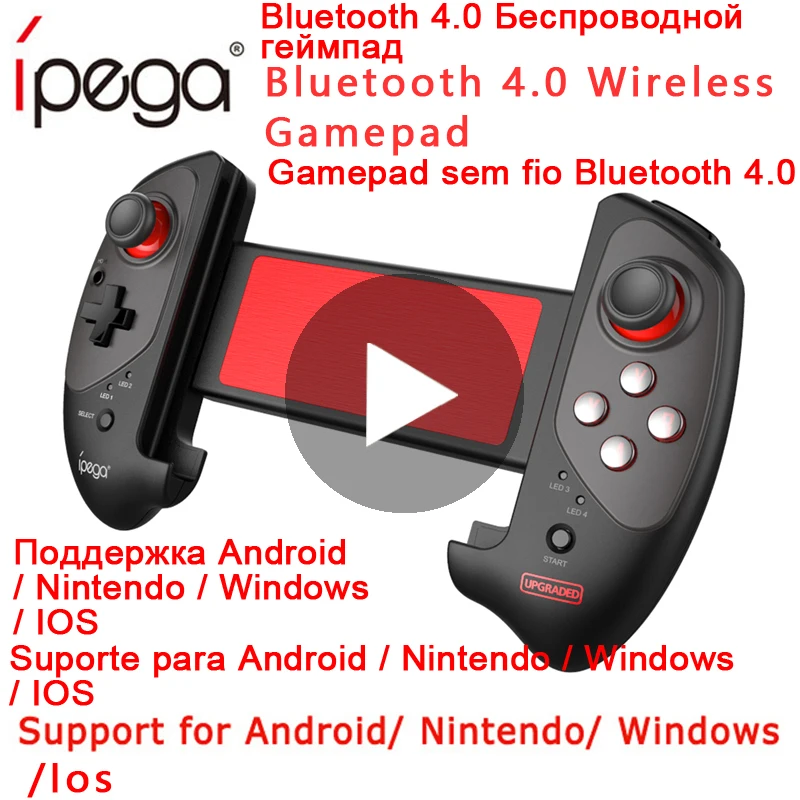
-Wireless Bluetooth V4.0 Connection.
-Support for Android/Ios/Nintendo Switch/ Windows 7/8/10.
-Practical Stretch, Telescopic Gamepad. Support Smartphone/PC/TV Box
-Please note that ios device has limit ,currently only for Chinese users. Other countries just can play less games.
Product Highlights:
-Product is mainly suitable for the Android/Nintendo Switch/Win / 7/8/10 system bluetooth connection, the game operation.
-Android supports multimedia functions: volume +, volume - up, down, play/pause.
-High precision rocker, smooth operation.
-The product has the function of super long expansion, can adjust the scale, the maximum support is 280mm length, very suitable for use on the tablet computer.
-The structure is ergonomic and smooth, and it can effectively relieve sore fingers.
Description:
-IPEGA PG-9083S Born for Games of Cellphone/PC
-Extendable Arms
Fit for 5-10 inch mobile phones or tablets
Maximun extending size is 11 inch (280mm)
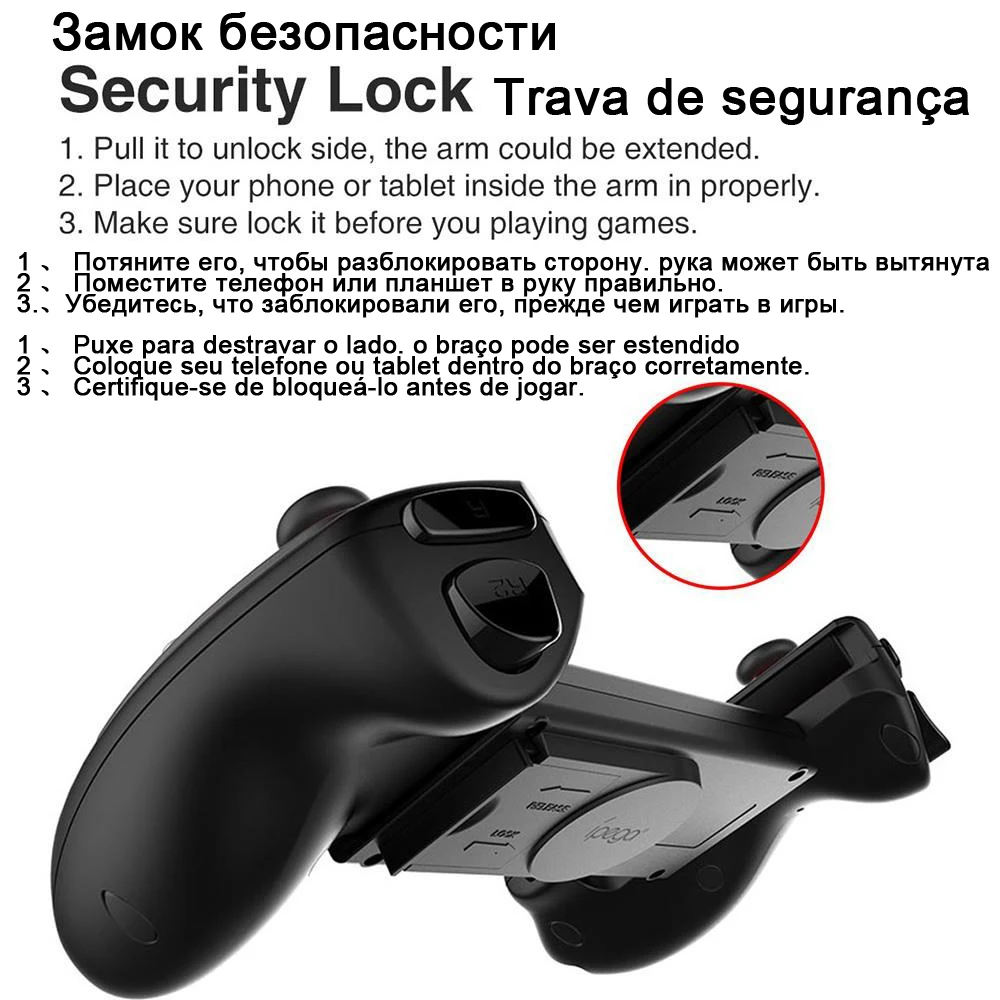
-Security Lock
1. Pull it to unlock side, the arm could be extended.
2. Place your phone or tablet insde the arm in properly.
3. Make sure lock it before you playing games.
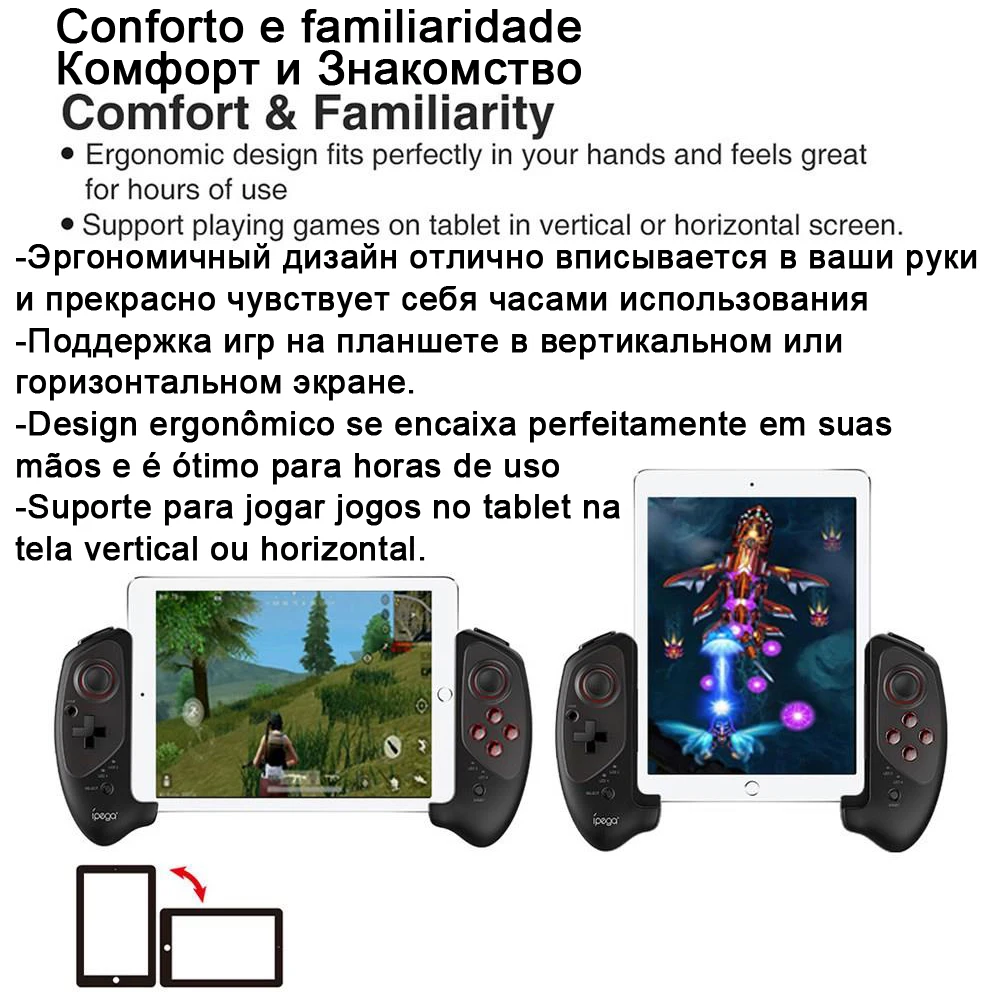
-Comfort & Familiarity
Ergonomic design fits perfectly in your hands and you can feel great for hours of using.
Support playing games on tablet in vertical or horizontal screen.
-High Sensibility & Accuracy Buttons
Press Test 1,000,000+
-Support playing games on Nintendo Switch
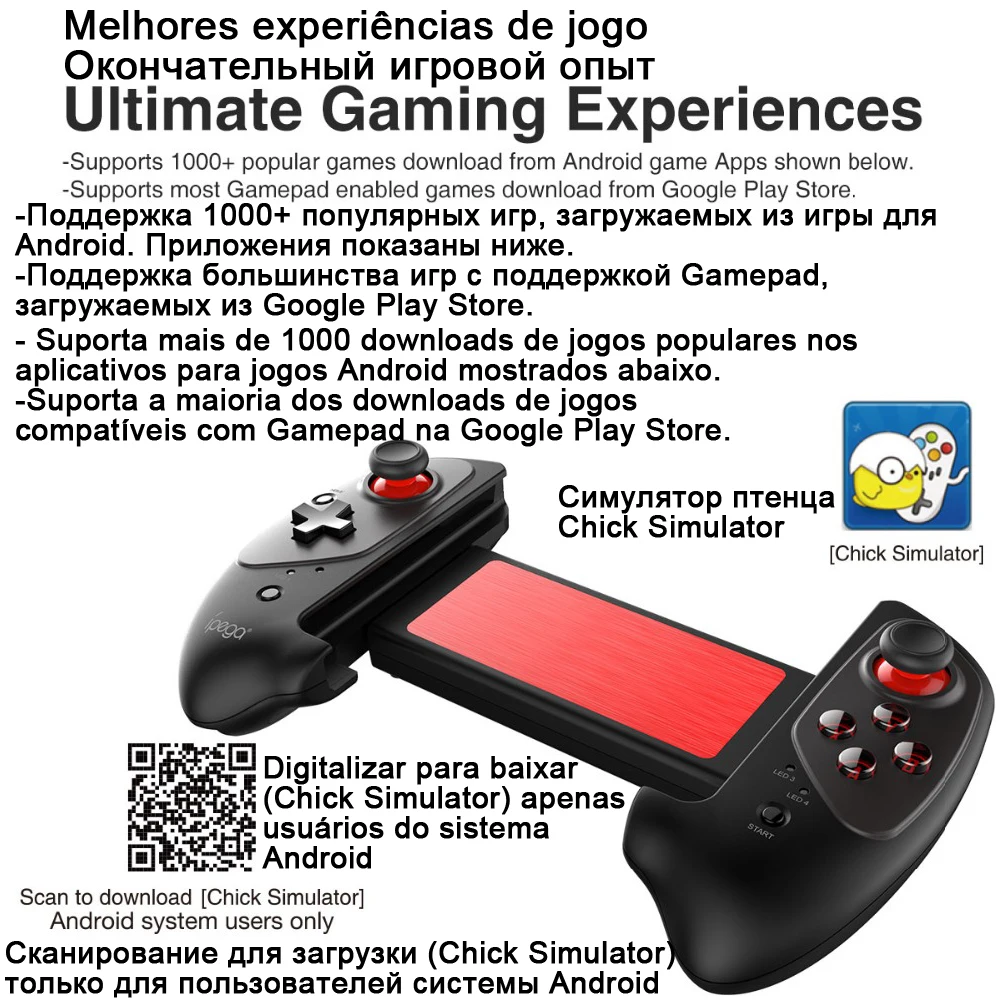
-Ultimate Gaming Experiences
Supports 1000+ popular games download from Android game APPs shown below.
Supports most gamepad enabled games download from Google Play Store.
General:
Brand:iPega
Type:Gaming handle
Model:PG-9083S
Color:Black
Specification:
Bluetooth Version: V4.0
Compatible with: Android/Switch/Win / 7/8/10
Connection Type: Bluetooth
System support: Android/Switch/Win / 7/8/10
Material: ABS
Power:
Battery Type: Built-in
Battery Capacity (mAh): 300mAh
Battery Voltage: 3.7V
Charge way: USB Charge
Charging Time: 2H
Working Time: 10H
Weight & Dimensions:
Product weight: 0.240 kg
Package weight: 0.400 kg
Product size: 23.5 x12.8 x 4.5cm
Package size: 24.6 x 15.5 x 6.6cm
Package Contents:
1 x Gamepad
1 x USB Cable
1 x Chinese / English User Manual
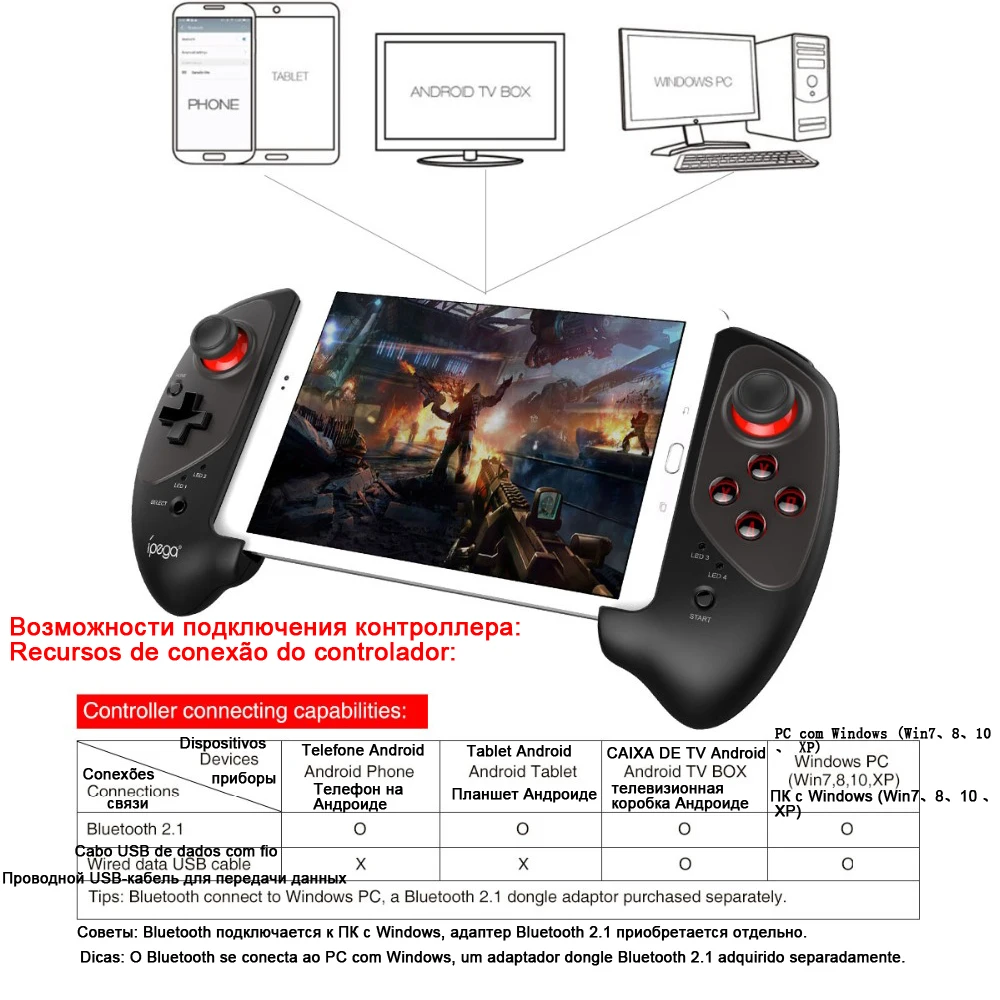
![]() Controller connecting capabilities:
Android Phone: Bluetooth 2.1
Android Tablet: Bluetooth 2.1
Android TV BOX : Bluetooth 2.1、Wired data USB cable
Windows PC (Win7、8、10、XP): : Bluetooth 2.1、Wired data USB cable
Tips: Bluetooth connect to Windows PC, a Bluetooth 2.1 dongle adaptor purchased separately.
Controller connecting capabilities:
Android Phone: Bluetooth 2.1
Android Tablet: Bluetooth 2.1
Android TV BOX : Bluetooth 2.1、Wired data USB cable
Windows PC (Win7、8、10、XP): : Bluetooth 2.1、Wired data USB cable
Tips: Bluetooth connect to Windows PC, a Bluetooth 2.1 dongle adaptor purchased separately.
![20181225_111005_018]()
Extendable arm
-Fit for 5-10 inch of mobile phones or tablets
-Maximum extending size is 11 inch (280mm)
![20181225_111005_019]()
Security Lock
1、Pull it to unlock side. the arm could be extended
2、Place your phone or tablet inside the arm in properly.
3、Make sure lock it before you playing games.
![20181225_111005_020]()
Comfort & Familiarity
-Ergonomic design fits perfectly in your hands and feels great
for hours of use
-Support playing games on tablet in vertical or horizontal screen.
![20181225_111005_021]()
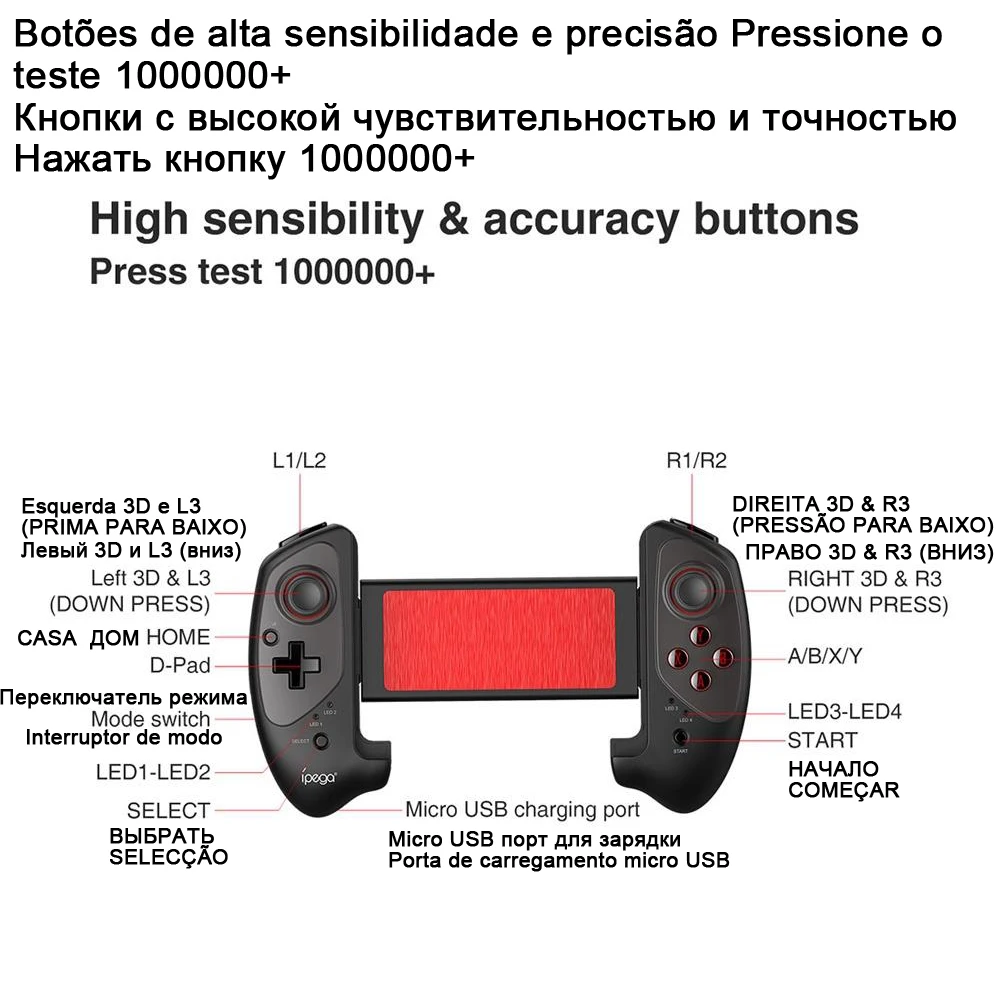
High sensibility & accuracy buttons
Press test 1000000+
L1/L2
R1/R2
Left 3D & L3 (DOWN PRESS)
HOME
D-Pad
Mode switch
LED1-LED2
SELECT
Micro USB charging port
RIGHT 3D & R3 (DOWN PRESS)
A/B/X/Y
LED3-LED4
START
![20181225_111005_022]()
This Gamepad support playing games on Nintendo Swtich
![20181225_111005_023]()
Ultimate Gaming Experiences
-Supports 1000+popular games download from Android game Apps shown below.
-Supports most Gamepad enabled games download from Google Play Store.
Chick Simulator
Scan to download (Chick Simulator) Android system users only
![20181225_111005_024]()
Operation instructions:
Android system:
Mode: HID Mode (Game Pad) / Mouse Mode
Bluetooth pairing buttons: Press HOME for 3 seconds / Y+HOME
Indicator: LED1 / LED1+LED2
Remark: Under HID mode, press Y+HOME swach to
Mouse mode, press" X+HOME"switch to HD mode
Nintendo Switch:
Bluetooth pairing buttons: Press HOME for 3 seconds
Indicator: System automatically assign
Remark: LED1-LED4 marquee flash
Reconnection: Press HOME button for 2 seconds for reconnect while at the same device and same mode
IOS system:
Mode: iCade Mode
Bluetooth pairing buttons: Press HOME for 3 seconds
Indicator: LED4
Remark: Default English keyboard input
Windons system:
Mode: HID Mode (GamePad)
Bluetooth pairing buttons: Press HOME for 3 seconds
Indicator: LED1
Remark: Need buy a USB Bluetooth receiver (suggest Bluetooth 3.0+version)
Reconnection: Press HOME button for 2 seconds for reconnect while at the same device and same mode
![20181225_111005_025]()
Usage of Android Mouse Mode
The multimedia player function will only operate under the mouse mode. In the Mouse Mode
Y key: Volume +; A key: Volume-; X key: Previous song; B key: Next song; L2 key: Play /Pause;
L1 key: Left mouse key; R2 key: Play /Pause; R1 key: Right mouse key. Left 3D: Mouse moving
quickly; Right 3D: Mouse moving slowly; Select key: Back; L1 key: confirm
1. Pull the mode switch to ■ position: Pic 1
2. Press HOME for 3 seconds, LED1 indicator flash quickly. Pic 2
3.Open the Bluetooth on Android device, click searching.
4. Find and select "PG-9083" for Bluetooth pairing. Pc 3
5. LED1 lit on after Bluetooth connected. Pic 4
6. Press"Y+Home"buttons switch to Mouse Mode from HID Mode
7. LED1+LED2 lit on while switched to mose mode successfully.
![20181225_111005_026]()
1. Insert black plastic blocks into 2 sides of Switch Console's slider.
2. Pull the extending grip and place Switch Console into it, make sure the grips hold tightly for the Switch Console.
Home button have 3 functions: press 1 second for screenshot;
press 2 seconds for back function,
press 3 seconds to enrer switch setting interface.
1.Pull the mode switch to ■ position;
2. Press HOME for 3 seconds, LED1-LED4 indicator marquee flash
3. Enter Switch main interface, then enter key input interface, as below pics
4. Bluetooth connection and pairing: Console assign automatically.
5. One of LED1-LED4 lit on while successful pared Default LED1 lit on if there is no other
gamepad connected
6. Select button function is "-"
7. Start button function is "+"
8. Press HOME button shortly for Switch Console screenshot.
![20181225_111005_027]()
Wireless Bluetooth connect to PC
If your PC don't have Bluetooth function, then you required to purchase a Bluetooth Dongle for Bluetooth connection .(Suggest Bluetooth 3.0+ version)
1. Pull the mode switch to ■ positon at power off statge. Press HOME button 3 seconds power on
2. Insert the Bluetooth Dongle (not in the package) into the USB interface on PC device: The driver will be installed by Windows system automatically;
3. After the driver is installed successfully, the symbol of the Bluetooth device will be displayed in the lower right corner of the computer
4. Move the mouse to the Bluetooth symbol, click the right mouse button, and select" Add device".
5 After selecting "Add device" the device model(PG-9083)icon can be searched
6. Click"next", and select "Do not use the code to match", it will be automatically added after confirmed, then remind the Bluetooth was conneced! After connected. the indicator light is
always on.
7. It will be D-INPUT mode after Bluetooth connected successfully and can support the games running in simulator way.
Notes:
1. Please do not store this product in wet or high-temperature areas
2. Don't knap, beat, drub, pierce, or try to decompose this product, to avoid unnecessary damage to the product.
3. The product has built-in batteries, and please don't discard them together with the garbages.
4. Don't charge the controller in a place near the fire or other heat source.
5. Non professional personnel should not disassemble the product, otherwise it will not be covered in
the after-sales warranty service.
6. Due to the official game platform software upgrades or source code changes and other not resist factors caused some of the game can not be played or connected with our Gamepad, ipega company has no responsibility iPega reserve the right of final interpretation for this.
![20181225_111005_028]()
![20181225_111005_029]()
![20181225_111005_030]()
![20181225_111005_031]()
![20181225_111005_032]()
Отзывы от наших клиентов:
![俄文]()
![]()
-
Полная оплата должна быть произведена в течение 3 дней с момента заказа.
-
Если у вас возникают сложности с оплатой, пожалуйста, свяжитесь с нами в ближайшее время.
![]()
-
Мы предоставляем гарантию 30 дней.
-
Если товар неисправен, пожалуйста, сообщите нам в течение 3 дней с момента доставки.
-
Все товары должны быть возвращены в их первоначальном состоянии, для того, чтобы качество для возврата или обмена товара.
-
Покупатель несет ответственность за все расходы по доставке
![]()
-
Высылаем товары почтовыми службами:EMS, DHL, UPS, Авиапочта Гонконга/Авиапочта Китая/Авиапочта Сингапура. Ниже приведены некоторые Экспресс-компании доставки tim
Доставка службой DHL обычно занимаетОт 3 до 7 летРабочие дни в зависимости от страны доставки.
Доставка EMS обычно занимает8-12Рабочие дни в зависимости от страны доставки.
UPS EMS доставка обычно занимает3-5Рабочие дни в зависимости от страны доставки.
Авиапочта Гонконга: доставка обычно занимает15-30 днейРабочие дни в зависимости от страны доставки.
Авиапочта Китая: доставка обычно занимает15-30 днейРабочие дни в зависимости от страны доставки.
-
Мы будем взимать дополнительную плату за доставку, если ваше местоположение удалено или мы будем использовать другой способ доставки.
![]()
-
Для достижения успеха Мы зависим от удовлетворенности наших клиентов. Поэтому ваши отзывы очень важны для нас.
-
Если вы удовлетворены нашими товарами, пожалуйста, оставьте нам активный отзыв.
-
Свяжитесь с нами, прежде чем оставлять негативный отзыв. Мы будем работать с вами, чтобы решить любую проблему.
Смотрите так же другие товары:




![[Натуральная кожа] PG 9118 PUGE едят куриные Bluetooth беспроводной геймпад джойстик](http://ae01.alicdn.com/kf/H37f4cba4f77c439a86007d5a43e56847Z/PG-9118-PUGE-Bluetooth.jpg)